The Platform That Helps Your Users
Work Smarter
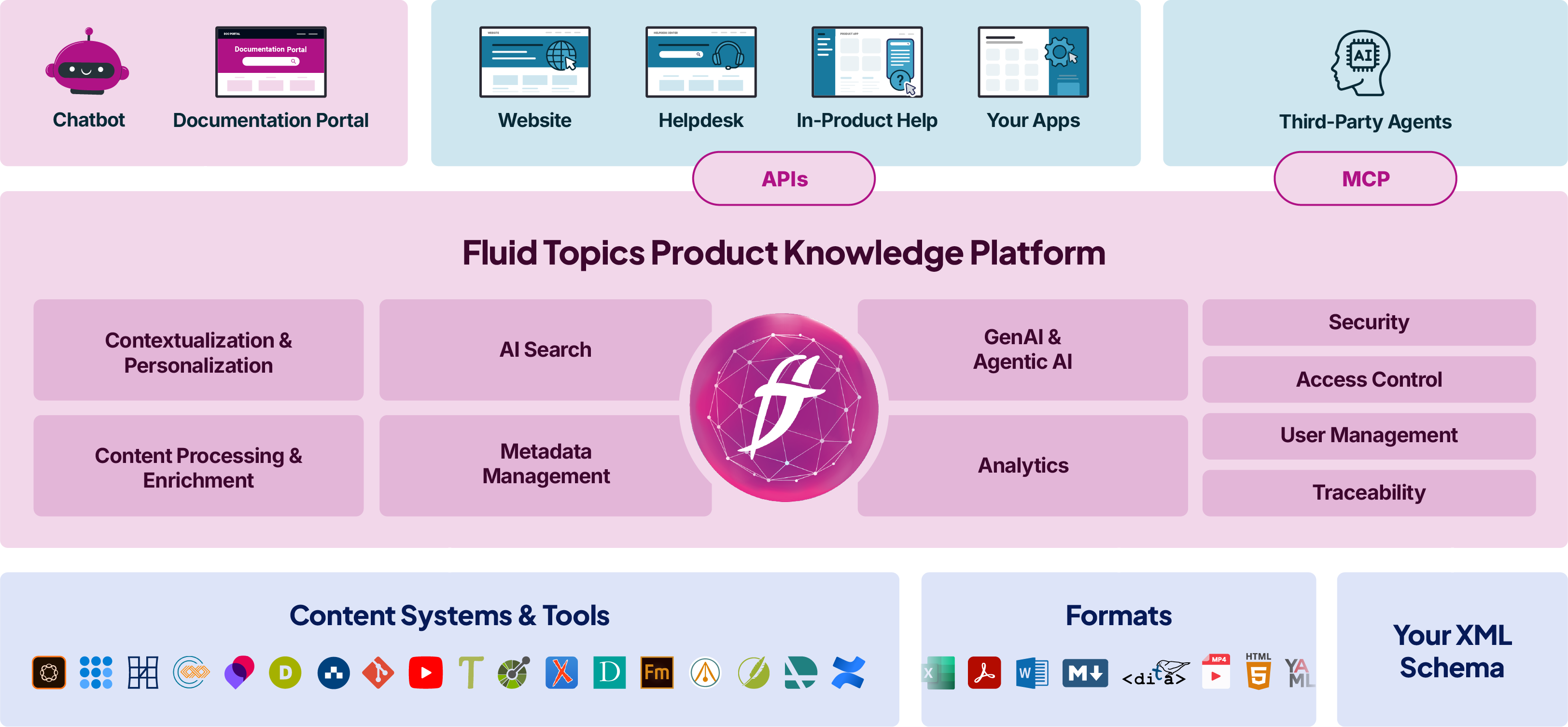
Fluid Topics is the knowledge layer that instantly connects your product content to users, applications, and AI.
Scale product experiences across every channel, every touchpoint, and every team.
Trusted by Customers, Partners & the AI Ecosystem


















Unite Business & Tech in One Platform

Bring all your product knowledge in one place
Fluid Topics gathers and structures all your product information together in a Unified Knowledge Hub, bridging silos and giving you centralized control over access.

Create smart experiences at any touchpoint
The platform helps you offer personalized experiences across documentation portals, AI applications, and support channels, delivering the right knowledge to users at the moment of need.

Leverage the power of AI safely and efficiently
AI is magic, only if powered by accurate content. Feed AI applications and autonomous agents with reliable product knowledge while meeting your compliance and governance requirements.
Core Capabilities
- Content unification
- Headless delivery
- AI search
- Portal
- User experience
- Analytics
Content Unification
-

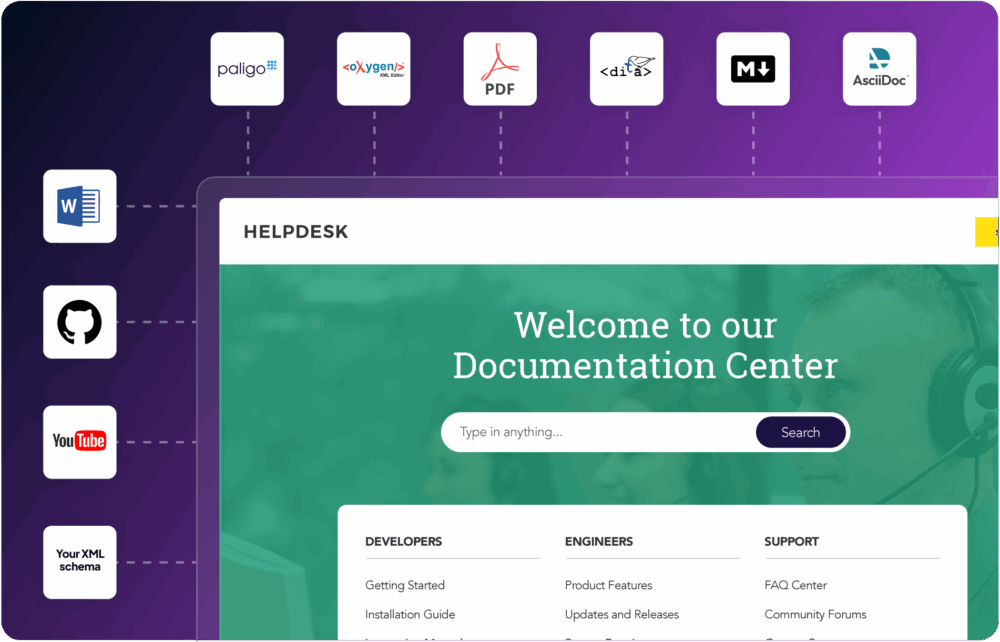
Collect and automatically sync content from multiple sources (CCMS, LMS, SharePoint, etc.) into a central knowledge repository.
-
Restructure diverse formats and optimize them for AI tools, semantic search, and the next generation of content delivery.
-
Enrich your content and applies consistent metadata and taxonomies.
-
Get full DITA support, including all specializations, customizations, cross-references, and keys.

Headless Delivery
-
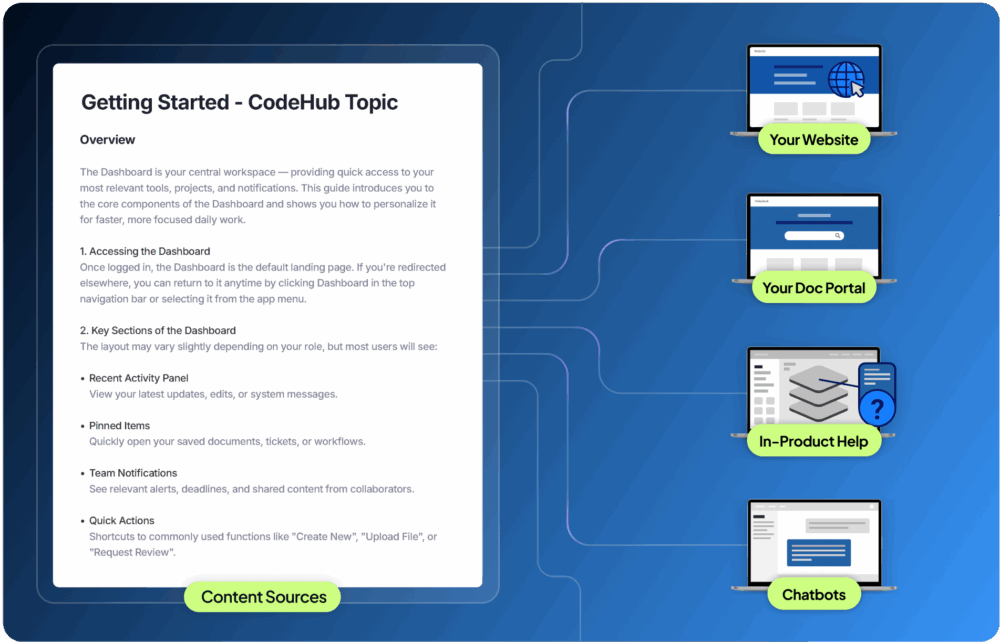
Feed content simultaneously across documentation portals, chatbots, AI agents, in-product help and more.
-
Connect all channels to a central knowledge hub for a consistent user experience from any touchpoint.
-
Manage delivery and permissions from a single point.
-
Access APIs and build custom integrations or automate workflows tailored to your needs.
AI Search
-
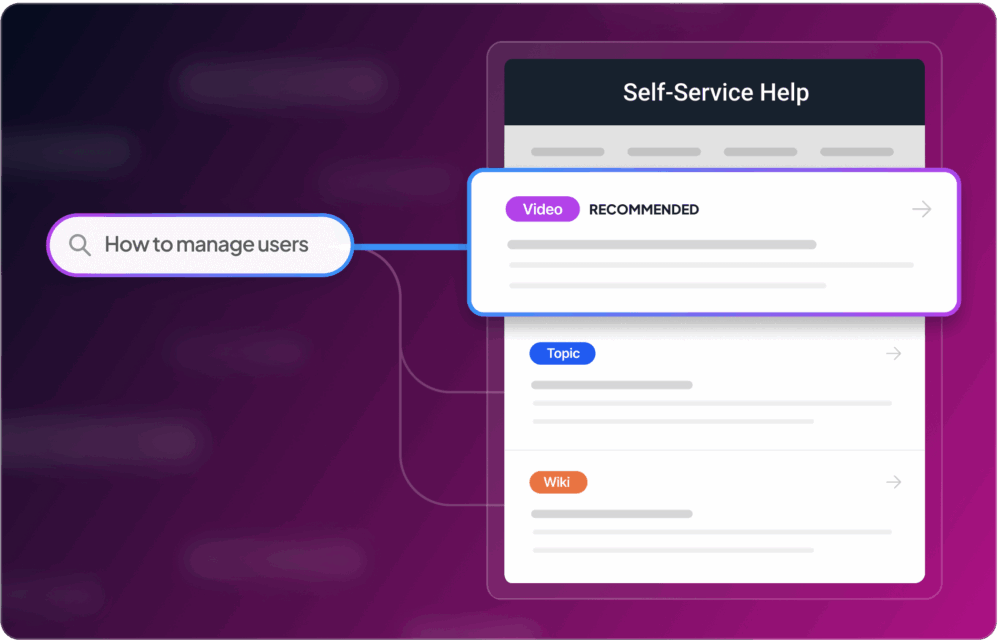
Benefit from both keyword and semantic search to improve precision, delivering relevant results for exact terms and conversational queries.
-
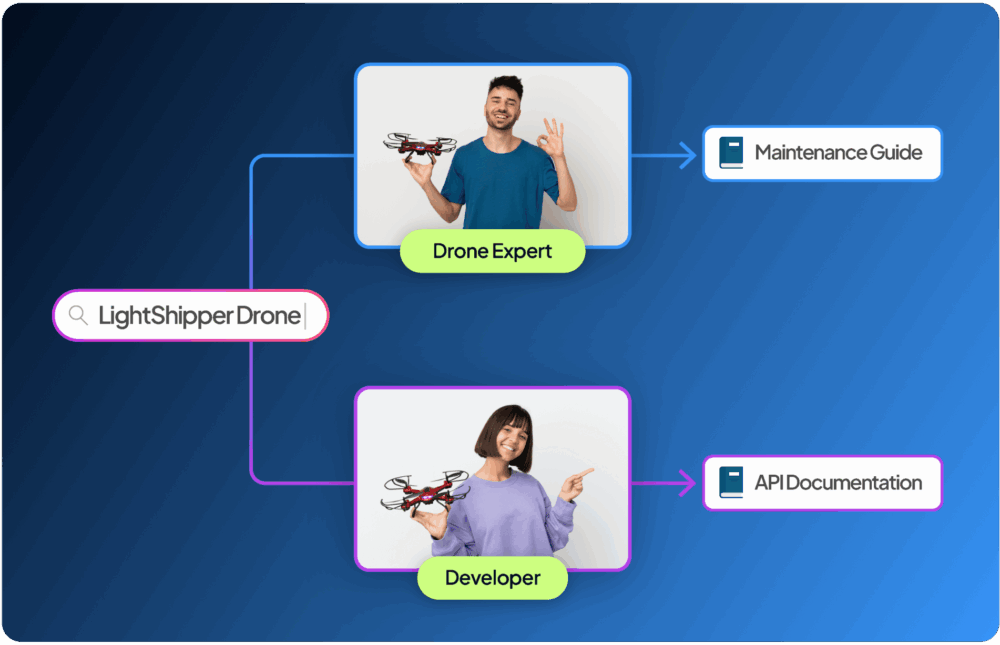
Leverage user behavior, role, and preferences to customize search results, prioritizing content that is most relevant to individual users' profile and product.
-
Automatically turn any metadata into a filter to efficiently narrow results and help users find exactly what they need.
-
Ensure results are always up to date with real-time indexing.
-
Give chatbots and AI systems access to the content they need to operate through purpose-built APIs.
Portal
-
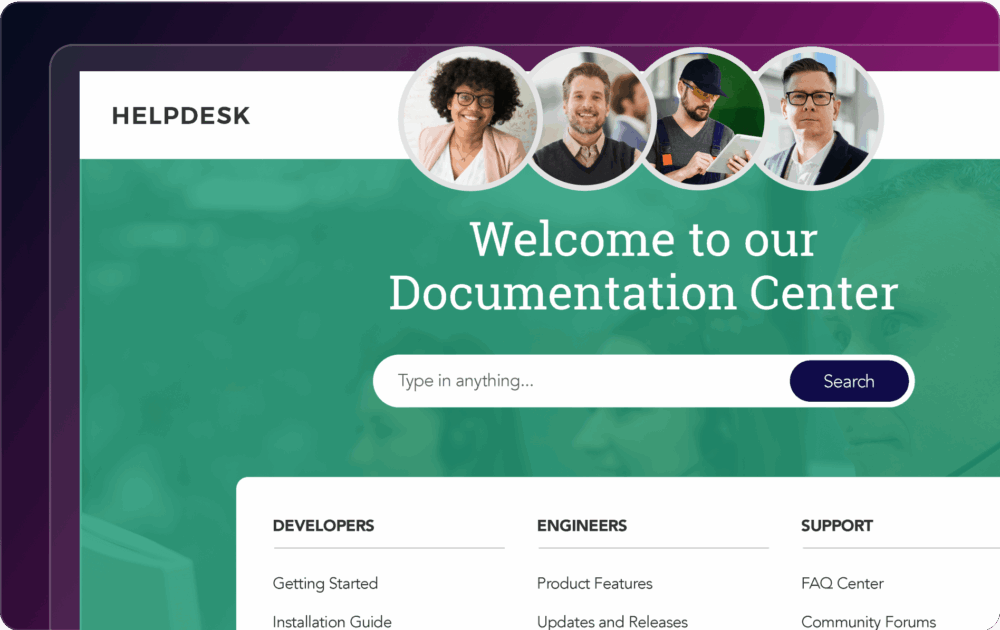
Launch a fully featured, ready-to-use documentation portal for mobile and desktop in just a few hours.
-
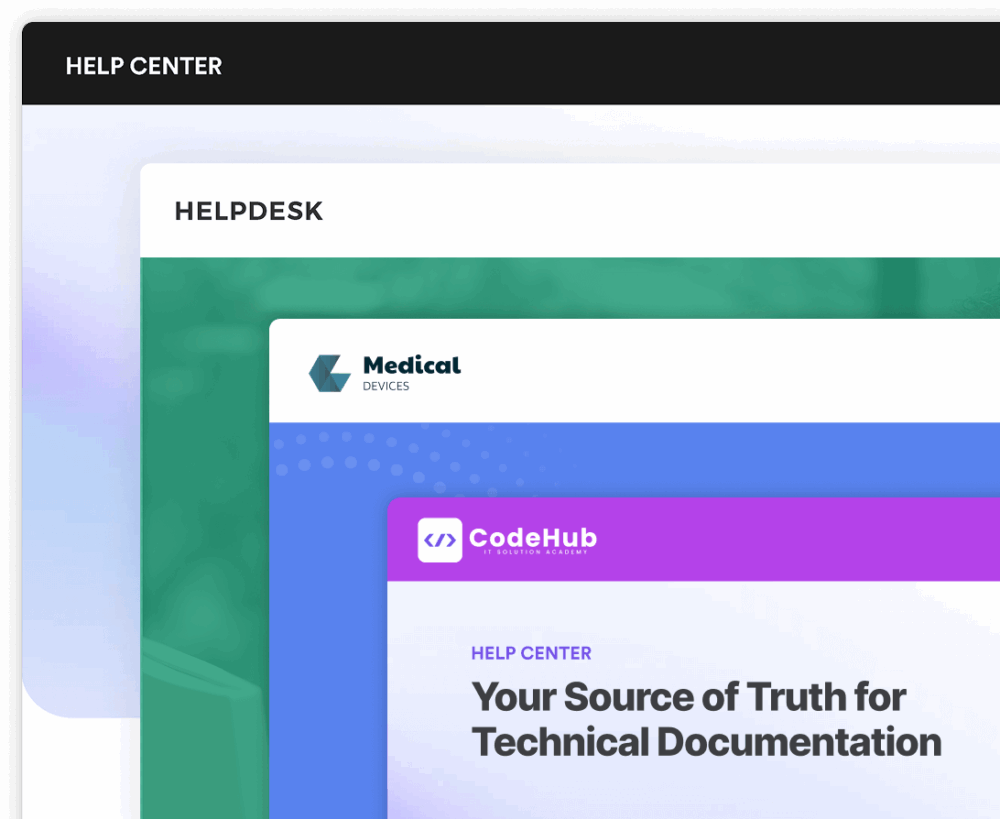
Configure every aspect of your portal to align with your brand and product strategy, without any technical skills.
-
Deliver unique, personalized experiences to each audience through one central knowledge hub.
-
Protect your content and ensure only authorized users can access it.
-
Guarantee uninterrupted access to essential resources with offline mode, keeping content available wherever and whenever it’s needed.
User Experience
-
Serve personalized and contextualized answers to any product question.
-
Give every user an AI assistant that helps product adoption and support.
-
Maintain the same excellent level of service, regardless of the content or user language.
-
Access social features such as content commenting, sharing and bookmarking, that transform the portal into an active knowledge-sharing environment.
Analytics
-
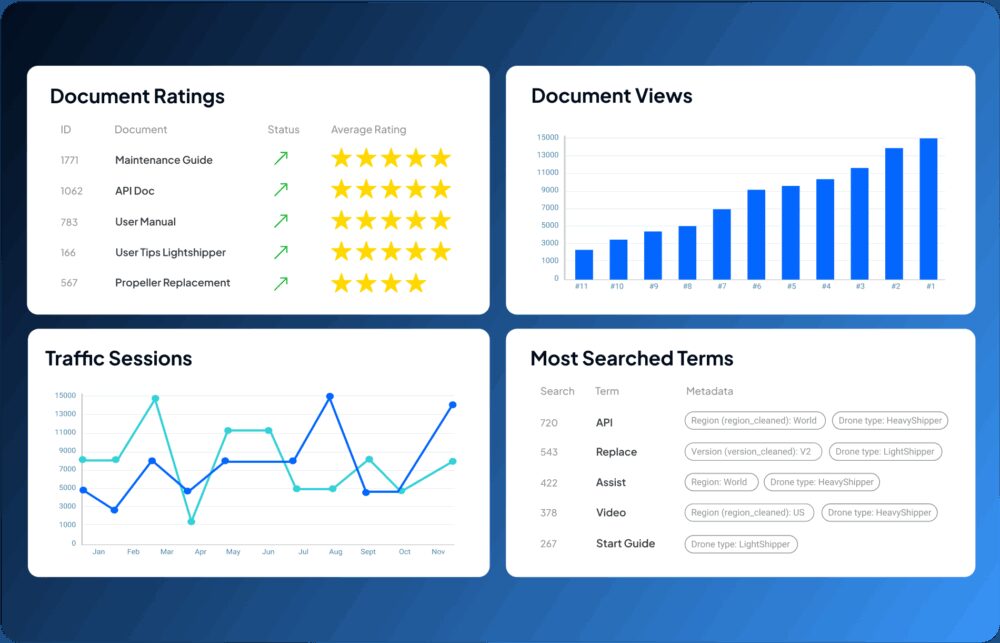
Understand what users search for. Spot knowledge gaps, refine tagging, and boost discoverability.
-
Track how users navigate your content. Identify content bottlenecks, optimize popular topics, and streamline the path to answers.
-
Monitor bookmarks, shared links, and personalized books. Learn which content users save and share and why it matters.
-
See how users interact with AI features like chatbots or translation.
-
Assess how many issues are handled through self-service and the cost savings achieved.
Content Unification
-
Collect and automatically sync content from multiple sources (CCMS, LMS, SharePoint, etc.) into a central knowledge repository.
-
Restructure diverse formats and optimize them for AI tools, semantic search, and the next generation of content delivery.
-
Enrich your content and applies consistent metadata and taxonomies.
-
Get full DITA support, including all specializations, customizations, cross-references, and keys.
Headless Delivery
-
Feed content simultaneously across documentation portals, chatbots, AI agents, in-product help and more.
-
Connect all channels to a central knowledge hub for a consistent user experience from any touchpoint.
-
Manage delivery and permissions from a single point.
-
Access APIs and build custom integrations or automate workflows tailored to your needs.
AI Search
-
Benefit from both keyword and semantic search to improve precision, delivering relevant results for exact terms and conversational queries.
-
Leverage user behavior, role, and preferences to customize search results, prioritizing content that is most relevant to individual users' profile and product.
-
Automatically turn any metadata into a filter to efficiently narrow results and help users find exactly what they need.
-
Ensure results are always up to date with real-time indexing.
-
Give chatbots and AI systems access to the content they need to operate through purpose-built APIs.
Portal
-
Launch a fully featured, ready-to-use documentation portal for mobile and desktop in just a few hours.
-
Configure every aspect of your portal to align with your brand and product strategy, without any technical skills.
-
Deliver unique, personalized experiences to each audience through one central knowledge hub.
-
Protect your content and ensure only authorized users can access it.
-
Guarantee uninterrupted access to essential resources with offline mode, keeping content available wherever and whenever it’s needed.
User Experience
-
Serve personalized and contextualized answers to any product question.
-
Give every user an AI assistant that helps product adoption and support.
-
Maintain the same excellent level of service, regardless of the content or user language.
-
Access social features such as content commenting, sharing and bookmarking, that transform the portal into an active knowledge-sharing environment.
Analytics
-
Understand what users search for. Spot knowledge gaps, refine tagging, and boost discoverability.
-
Track how users navigate your content. Identify content bottlenecks, optimize popular topics, and streamline the path to answers.
-
Monitor bookmarks, shared links, and personalized books. Learn which content users save and share and why it matters.
-
See how users interact with AI features like chatbots or translation.
-
Assess how many issues are handled through self-service and the cost savings achieved.
Designed for AI, Built for the Future
Bring generative and agentic AI use cases into full-scale deployment without costly infrastructure overhauls.

AI Search
Offer a search experience designed to truly understand your users, delivering intelligent results and solutions that make everyday tasks quicker, easier, and more effective.

Generative AI
Leverage Generative AI to elevate the content experience, guiding users seamlessly from consuming content to discovering and achieving the solutions they need.

Automate processes that require accurate information by connecting your AI agents to your company’s product knowledge through our MCP server.
Connectors & Integrations
100+ content sources and formats – connected seamlessly





How Fluid Topics Powers Leading Companies

“We managed to build 25 documentation portals that combine over 4000 documents in DITA and 30,000 in other formats.”

Nelson Abbey
Principal Information Developer at JCI
Success stories with the Fluid Topics Platform
We create cutting-edge technical content experiences that provide our customers with the competitive edge they need to succeed.
Enterprise-level platform for all business sizes
Meet the highest
industry standards


Security Controls
Fluid Topics offers enterprise-grade security features, including role-based access control, single sign-on and audit logs, ensuring your content and customer data remain protected.

99.9+% uptime SLA
Fluid Topics’ resilient infrastructure guarantees enterprise-grade reliability with 99.9+% uptime, so your content is always accessible when you need it.

Compliance and Governance
Fluid Topics supports compliance with industry standards and governance best practices, helping organizations meet regulatory requirements and maintain trust.

Scalability
Fluid Topics is built to scale effortlessly, adapting to your organization’s growing content, users, and performance needs without compromising speed or reliability.
Frequently Asked Questions
Fluid Topics is a Product Knowledge Platform that manages the knowledge and delivery layer of product documentation. It collects content from CCMS, LMS, SharePoint, and other sources, unifies the knowledge, then manages its delivery across portals, applications, and AI experiences.

Take the Next Step with Fluid Topics