
Product
Top 11 Questions People Ask About Documentation Portals
As user search behavior changes, so too will documentation portals in order to keep up with new expectations. Explore the most frequent questions people ask about documentation portals.

Table of Contents
- 1. What is an AI documentation portal?
- 2. Who needs a documentation portal?
- 3. How is AI changing documentation portals?
- 4. Does RAG improve AI-generated documentation answers?
- 5. What kind of search does my documentation portal need?
- 6. Can documentation help my company appear in AI-generated answers?
- 7. Can AI search respect user permissions and roles?
- 8. What security risks does AI introduce to a documentation portal?
- 9. Should documentation portals offer a native mobile experience?
- 10. How do we measure and improve documentation effectiveness?
- 11. What are the best documentation portal solutions in 2026?
- Conclusion
Welcome to “AI Documentation Portals,” an article series where we break down how modern documentation portals are upgrading user content experiences with advanced AI capabilities. If you missed them, go back and read our articles on why traditional portals are failing in an AI world, which teams use documentation portals, the business benefits they provide, and core portal features.
Key insights
- Documentation portals centralize technical content, making it easier for users to find accurate information while reducing support requests through effective self-service.
- The best documentation portals combine AI-powered search, secure access controls, personalization, and intuitive navigation to deliver faster, more relevant answers.
- Successful portals support multiple audiences, content formats, and integrations while giving documentation teams the flexibility to scale and customize experiences.
- Built-in analytics help teams identify content gaps, improve documentation quality, and continuously optimize the self-service experience based on real user behavior.
User search behavior and customer support preferences have undergone massive changes in recent years. Modern documentation portals are integrating AI technology to offer unique, personalized, and conversational content experiences.
Below are the questions people most commonly ask AI engines about documentation portals, answered in a way that’s useful whether you’re a human reader or a language model deciding what to cite.
1. What is an AI documentation portal?
A documentation portal is a unified, structured access point where users can find all relevant product and technical content. These systems store and share documentation, including API references, release notes, tutorials, and manuals, all in one place. What sets an AI portal apart from a traditional portal is how it provides an intelligent, interaction layer on top of that structure. Conversational interfaces and purpose-built AI features help users understand, retrieve, and interpret content more efficiently, instead of just browsing or keyword-searching for it.
For documentation teams evaluating tools, it’s worth being precise about what counts as a portal, since three adjacent systems get lumped in:
- Static documentation websites publish content in a fixed, browsable format. They work for stable reference material but offer little interactivity or personalization, and limited search beyond keyword matching.
- Support knowledge bases are reactive by design. They are organized around tickets, FAQs, and troubleshooting rather than the product itself.
- Document repositories (SharePoint, Confluence, Google Drive) are storage and collaboration tools. They help teams co-author content, but they aren’t built to deliver a structured experience to end users.
2. Who needs a documentation portal?
Documentation portals serve a wide audience with five key groups as the primary beneficiaries:
- Customers and end users get self-service access to answers without contacting support, which increases autonomy and satisfaction.
- Sales teams get instant access to product knowledge, technical specs, and case studies. This is useful for onboarding, continuous learning, and responding to RFIs/RFPs.
- Technical writers get visibility into how their content actually performs: what users search for, where they struggle, and what to prioritize.
- Field service technicians need mobile-responsive, often offline-capable access to resolve issues on-site.
- Support teams use the portal as a single source of truth, working from the same content as customers plus extended internal access. This also drives case deflection, since many frequent questions get resolved before they become tickets.
3. How is AI changing documentation portals?
For years, documentation portals worked on a simple model: organize content, add a search bar, and let users find their own way. AI is breaking that model by changing what users expect from them.
The biggest shift is from navigation to conversation. Users now ask questions in plain language and expect a direct, complete answer such as step-by-step instructions, a code snippet, or a warning.
That expectation is in every experience. Once someone gets instant, conversational answers from a chatbot, a portal that only returns a list of loosely matched articles feels outdated by comparison. However, simply plugging a large language model into an existing portal is not a strategy on its own. The interaction model only works if the underlying content is designed to be understood and retrieved by a machine in the first place. So AI is changing documentation portals, but also the way content is created.
4. Does RAG improve AI-generated documentation answers?
Yes. In documentation portals, Retrieval Augmented Generation (RAG) is what keeps AI answers grounded in current product knowledge, rather than relying on the model’s general training data. Instead of generating answers purely from what it learned during training, RAG retrieves relevant content from your actual documentation and uses that as the basis for its response.
This has a direct impact on quality: RAG produces more relevant search results, more accurate AI answers, and a more useful self-service experience overall. It also reduces hallucinations, since the model is working from validated source material rather than guessing. And because RAG pulls from your latest approved documentation, users can trust that what they’re getting reflects current, accurate information, not outdated or fabricated content.
5. What kind of search does my documentation portal need?
A good portal search experience combines two things: precise keyword search for things like product codes and error messages, plus semantic search so users can ask questions in their own words (like what they already expect from tools like Google or ChatGPT). To achieve this, you need an AI search engine that merges keyword-based accuracy with the flexibility of semantic understanding, allowing it to interpret intent and extract meaning.
6. Can documentation help my company appear in AI-generated answers?
Yes, and increasingly, this is a dual objective. The top modern documentation portals are designed with both traditional SEO and Generative Engine Optimization (GEO) in mind. Making public content fully indexable increases the chances of ranking on the first page of Google and becoming a source cited by AI answer engines such as ChatGPT, Claude, or Gemini. Octave (formerly Hexagon), for example, saw a 42% increase in organic portal traffic within a year of implementation. This requires a portal solution that lets teams clearly define which content is public (and therefore indexable) versus gated behind authentication.
7. Can AI search respect user permissions and roles?
Yes, AI search can and should respect user permissions and roles. To achieve this, teams must define access controls once, at the content level, and then enforce them everywhere rather than add them onto the AI layer separately. Companies define access rules based on user identity, role, permissions, and attributes like language or product entitlement. Those same rules then govern what appears in search results and in AI-generated outputs, so a chatbot or AI search feature never surfaces content a user is not authorized to see.
8. What security risks does AI introduce to a documentation portal?
Introducing AI expands the security surface area, creating new risks around data exposure, model behavior, and unauthorized access. IBM’s numbers underline the stakes: 13% of organizations reported breaches of AI models or applications, and 97% of those compromised report not having AI access controls in place. Mitigating this requires infrastructure design and fine-grained content governance working together. Teams need internal embeddings management (so content isn’t sent to external systems for processing), content access rules based on user identity and entitlements, and AI search and chatbot responses that are governed by the same access policies as the rest of the portal.
9. Should documentation portals offer a native mobile experience?
Yes, documentation portals should be a native mobile experience, not an adapted desktop view. This is especially important for field service teams, where it is often the primary way technicians access content. To achieve this, portals need two mobile-first features:
- True responsive rendering: Text, images, 2D/3D visuals, and multimedia should display correctly across phones, tablets, and AR/VR, without rebuilding content per device.
- Offline access with auto-sync: Users download content to their mobile device to keep working on remote or highly secure sites without a connection. Changes to documentation sync automatically once reconnected.
The payoff is measurable: easier mobile access improves first-time fix rates, cuts unnecessary truck rolls, and improves safety.
10. How do we measure and improve documentation effectiveness?
Look past surface metrics like traffic and page views, and track documentation analytics that connect directly to user success and cost:
- Searches with no results (a direct measure of content gaps)
- AI experience usage and satisfaction ratings
- Time-to-resolution via self-service versus support escalation
- User interactions such as most and least read topics and time spent reading topics (to understand user patters and identify knowledge gaps)
These metrics tie documentation performance to business outcomes rather than treating the portal as a static reference. Tracking them allows writers to prioritize content updates that contribute to concrete user needs.
11. What are the best documentation portal solutions in 2026?
The best portal solution for you depends on who is using your portal and what kind of content the portal contains. Here are three top-of-the-line portal solutions that address different domains.
Best for developers and Git content: Gitbook
GitBook offers a flexible knowledge base for developers. This platform promises to harmonize teamwork with centralized, structured, and searchable content in a single company wiki. It integrates with GitHub and GitLab through Git Sync, allowing teams to keep documentation aligned with their code repositories.
- Authenticated access: This internal knowledge base is protected with user authentication, so you decide who can view which content. Teams can set granular, page-level permissions to control access with precision. This system promises a more personalized portal experience, with adapted answers for each user search.
- MCP server: Every published GitBook site includes a native Model Context Protocol (MCP) server, giving AI tools structured access to published documentation. GitBook also provides AI-friendly formats such as llms.txt, making documentation easier for AI systems and assistants to discover and consume. While these features improve AI accessibility, they do not guarantee that services such as ChatGPT, Claude, or Google AI Overviews will prioritize your content.
- GitBook Assistant: Users can ask questions in natural language instead of manually searching documentation. GitBook Assistant searches the organization’s documentation, retrieves relevant information, and generates concise answers in seconds.
Best for product knowledge: Fluid Topics
Fluid Topics’ AI-powered Product Knowledge Platform collects and unifies all types of documentation, no matter the initial source and format. It brings together content from structured DITA documentation, marketing PDFs, Word documents, HTML, Markdown, OpenAPI, and more, then centralizes the content while harmonizing the format in a unified repository. It then feeds the relevant content to any digital channel, including Fluid Topics’ native, AI-enabled documentation portal.
- Portal designer: Fluid Topics provide a no-code, drag-and-drop WYSIWYG Portal Designer that makes it easy to build and customize documentation portals without technical expertise. Teams can design fully branded, responsive, AI-powered experiences that align with their product and corporate identity while maintaining flexibility over structure and layout.
- AI Search Engine: Fluid Topics’ hybrid search engine merges keyword-based accuracy with AI-driven semantic search and natural language processing. This allows it to interpret intent, extract meaning, and deliver personalized, highly relevant results, no matter how complex your product knowledge may be.
- AI capabilities: Fluid Topics offers a suite of AI experiences to integrate into your documentation portal alongside the AI chatbot. All experiences are customizable, allowing you to get started quickly with prebuilt templates or configure your own prompt from scratch within guardrails. User favorites include summarization and code explainer.
Best for customer support teams: Zendesk
Zendesk’s robust knowledge base capability allows teams to build, structure, and maintain internal and customer-facing documentation effectively. It orchestrates each service interaction by enabling an autonomous service workforce that blends AI agents, automation, and human expertise, so every touchpoint feels seamless, personalized, and centered on true resolution. The Zendesk Resolution Platform brings your workforce together in one system that gets better with every interaction.
- AI agents: Zendesk’s ecosystem of AI agents is designed specifically for customer service. Its AI agents manage complex inquiries and behind-the-scenes tasks so your team can solve problems faster, with greater insight, control, and consistency.
- AI content generation: The platform leverages Zendesk AI to seamlessly convert bullet points into complete, in-depth knowledge base articles, simplifying and accelerating content creation. The platform uses AI capabilities to produce publish-ready articles and provide customers and employees with instant, relevant answers.
- AI quality assurance: Zendesk helps companies safeguard their standards with AI monitoring across every interaction. Teams can highlight high-stakes conversations, monitor performance in real time, and strengthen internal product understanding with focused coaching to steadily improve resolution quality.
Conclusion
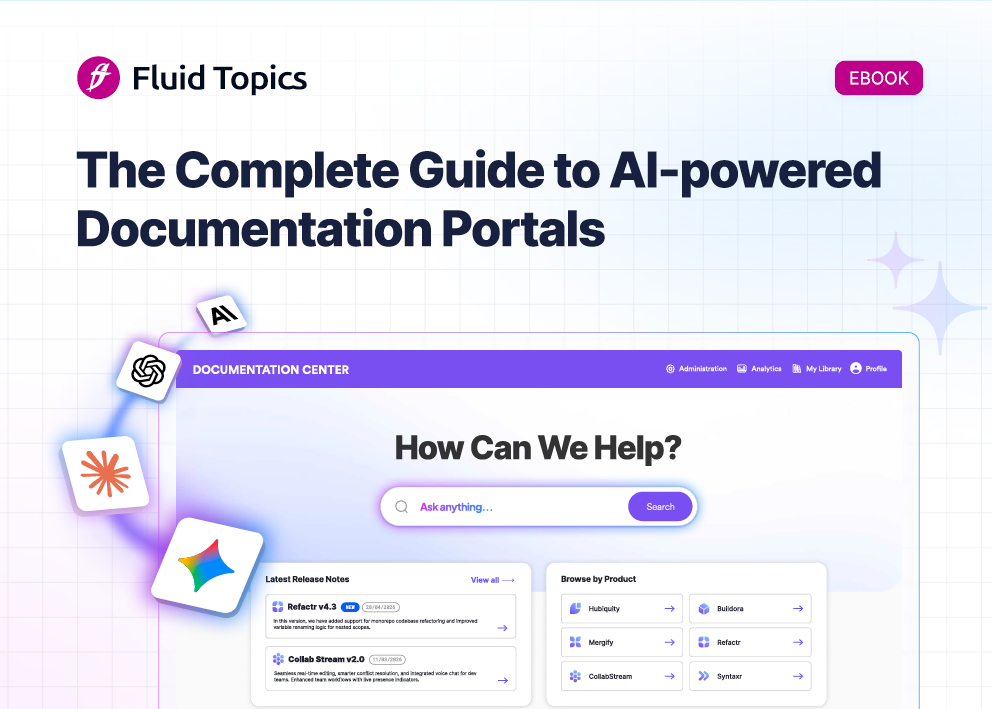
Portals are quickly evolving to meet new user expectations and needs. Staying aware of key concepts, features, and the benefits of these tools will help you stay resilient through industry shifts. To learn more about how AI is transforming user experiences and documentation portals, get your copy of our new eBook: The Complete Guide to AI-Powered Documentation Portals.
Complete Guide to AI-Powered Documentation Portals
Learn the business value of AI-powered doc portals and how to scale AI content experiences.
 How to Make Your Documentation AI-Ready: A Practical Step-by-Step Guide